With GroupDocs.Metadata, adding metadata to ODT files in Python apps is straightforward. Just follow these steps.
- Open the ODT file you want to update.
- Define the metadata key and value to add.
- Apply the changes.
- Save the updated file.
With GroupDocs.Metadata, adding metadata to ODT files in Python apps is straightforward. Just follow these steps.
from groupdocs.metadata import Metadata
from groupdocs.metadata.common import PropertyValue
from groupdocs.metadata.tagging import Tags

def add_metadata_property():
    # Load the file using the Metadata class
    with Metadata("./input.odt") as metadata:
        # Add a metadata property with the author's name
        property_value = PropertyValue("test content author")
        # Run the metadata update
        affected = metadata.add_properties(
            lambda p: Tags.person.creator in list(p.tags), property_value
        )
        print(f"Affected properties: {affected}")
        # Save the file with the new metadata
        metadata.save("./output.odt")

if __name__ == "__main__":
    add_metadata_property()
Our API simplifies handling metadata. View, change, and organize document properties to improve file management and search.
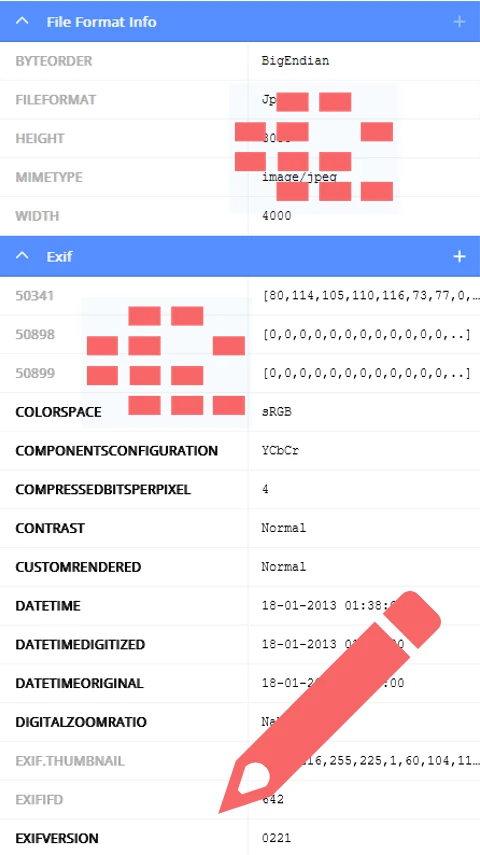
Quickly read and analyze metadata from any file. Get info like author name, creation time, and more.
Change metadata directly—update tags to keep files well-organized and searchable.
Do more with metadata—add custom fields, remove unused info, and keep everything consistent.
This code sample shows how to insert a custom metadata tag into a TIFF image.
from groupdocs.metadata import Metadata
from groupdocs.metadata.formats.image import TiffAsciiTag, TiffTagID
from groupdocs.metadata.standards.exif import ExifPackage

def add_exif_artist_tag():
    # Open the TIFF image
    with Metadata("./input.tiff") as metadata:
        root = metadata.get_root_package()
        if root is not None:
            if root.exif_package is None:
                root.exif_package = ExifPackage()
            # Define the metadata key and value
            data = TiffAsciiTag(TiffTagID.ARTIST, "Awesome artist")
            # Add the metadata
            root.exif_package.set(data)
            # Save the updated image
            metadata.save("./output.tiff")

if __name__ == "__main__":
    add_exif_artist_tag()

Download GroupDocs.Metadata for free or get a trial license for full access!
Explore documentation, code samples, and community support to enhance your experience.
Add metadata to documents and images in multiple formats using GroupDocs.Metadata. Below are some commonly supported file types.


