GroupDocs.Parser for .NET

Extract barcodes from PDF using C#

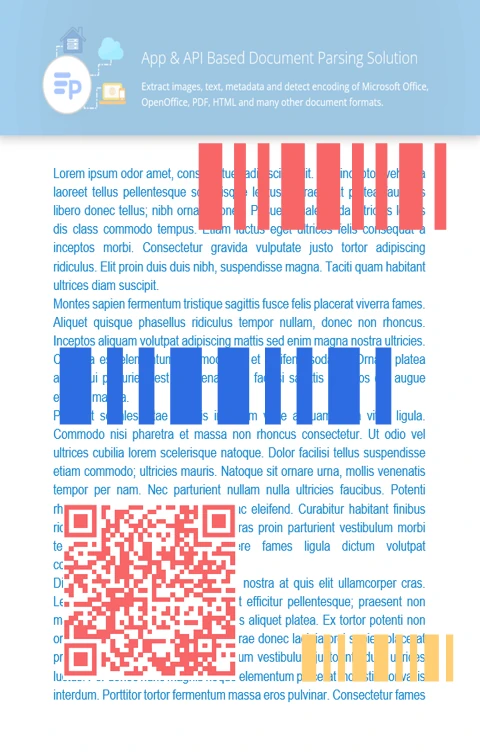
Easily detect and extract barcode information from PDF, Word, Excel, and image files using GroupDocs.Parser in your .NET applications.

Steps to extract barcodes from Pdf in C#

GroupDocs.Parser lets you easily extract barcode data from PDF files in .NET applications by following these simple steps:

  1. Load the PDF file using a Parser instance.
  2. Verify that the document supports barcode extraction.
  3. Retrieve the list of barcodes from the document.
  4. Iterate through the results and use the extracted barcode values.
// Load the document containing barcodes using the Parser class
using (Parser parser = new Parser("input.pdf")) {

    // Verify that the file supports barcode extraction
    if (!parser.Features.Barcodes) {
        Console.WriteLine("Barcode extraction is not supported");
        return;
    }

    // Retrieve and process the extracted barcodes
    IEnumerable<PageBarcodeArea> barcodes = parser.GetBarcodes();

    foreach (PageBarcodeArea barcode in barcodes) {
        Console.WriteLine("Page: " + barcode.Page.Index.ToString());
        Console.WriteLine("Value: " + barcode.Value);
    }
}
dotnet add package GroupDocs.Parser
click to copy
copied
More examples Documentation

Advanced document parsing features

Beyond barcode extraction, GroupDocs.Parser allows you to extract plain text, images, and structured data to support advanced automation and data processing workflows.

Barcode recognition and document parsing

Support for multiple barcode formats

Recognize common barcode types including QR Code, Code 128, Data Matrix, EAN, Aztec, and more.

Extract barcodes from documents and images

Read barcodes from PDF, Word, Excel documents, and image formats like JPEG, PNG, and BMP.

Customizable extraction settings

Configure detection options such as scanning regions and processing multi-page documents.

How to extract barcodes from a PDF using barcode options

This example demonstrates how to extract barcodes from a PDF file using specific barcode extraction options.

C#

//  Load the PDF file with the Parser class
using (Parser parser = new Parser("input.pdf"))
{
    // Confirm barcode extraction is supported
    if (!parser.Features.Barcodes)
    {
        return;
    }

    // Use barcode options to filter results
    BarcodeOptions options = new BarcodeOptions(QualityMode.Low, QualityMode.Low, "QR");

    // Retrieve barcode data from the document
    IEnumerable<PageBarcodeArea> barcodes = parser.GetBarcodes(options);

    // Process the list of extracted barcodes
    foreach (PageBarcodeArea barcode in barcodes)
    {
        Console.WriteLine("Page: " + barcode.Page.Index.ToString());
        Console.WriteLine("Value: " + barcode.Value);
    }
}


About GroupDocs.Parser for .NET API

GroupDocs.Parser is a powerful document parsing API for .NET developers. It enables the extraction of text, images, structured content, and barcodes from various file formats including PDF, Word, Excel, PowerPoint, and more — all without relying on external tools.
Learn more
About illustration

Ready to get started?

Download GroupDocs.Parser for free or get a trial license for full access!

Useful resources

Explore documentation, code samples, and community support to enhance your experience.

Supported formats for barcode extraction

GroupDocs.Parser supports barcode detection in a wide range of document and image formats. See below for commonly supported file types.

Temporary license tips

1
Sign up with your work email.
Free mail services are not allowed.
2
Use Get a temporary license button on the second step.
 English

