Key Features of GroupDocs.Redaction for Java

Hide Confidential Images in DOCX Documents with Overlays Using Java

Protect business and personal data in DOCX files using Java. Our tools help you keep sensitive information safe and your documents clean.

Secure Data in Docx Documents

GroupDocs.Redaction for Java gives your Java apps the power to redact documents. Cover private content quickly and efficiently.

  1. Create a Redactor and set the file path to your Docx document.
  2. Adjust the redaction settings to fit your needs.
  3. Pick the image area you want to cover and select an overlay color.
  4. Run the redaction process and save the file.
// Hide sensitive image sections in DOCX

// Load document using Redactor
final Redactor redactor = new Redactor("input.docx");
try
{
    // Set overlay color and dimensions
    java.awt.Dimension replacement_size = new java.awt.Dimension(100, 100);
    RegionReplacementOptions replacement_options = 
        new RegionReplacementOptions(java.awt.Color.BLUE, replacement_size);

    // Mark the area to be redacted
    java.awt.Point replacement_point = new java.awt.Point(200, 200);
    ImageAreaRedaction redaction = 
        new ImageAreaRedaction(replacement_point, replacement_options);

    // Apply overlay and save the file
    RedactorChangeLog result = redactor.apply(redaction);
    redactor.save();
}
finally { redactor.close(); }
<dependencies> <dependency> <groupId>com.groupdocs</groupId> <artifactId>groupdocs-redaction</artifactId> <version>24.6</version> </dependency> </dependencies> <repositories> <repository> <id>repository.groupdocs.com</id> <name>GroupDocs Repository</name> <url>https://repository.groupdocs.com/repo/</url> </repository> </repositories>
click to copy
copied
More examples Documentation

Hide Sensitive Content in Files

With GroupDocs.Redaction for Java, you can easily redact or remove content from multiple file types. Keep your documents secure and readable.

Redaction Features for Documents

Edit Text Content

Find and replace sensitive text across your files to maintain data privacy.

Overlay Images

Cover entire images or selected parts to hide confidential visual information.

Remove Metadata

Clean hidden metadata from documents to prevent data exposure.

Overlay Images to Hide Sensitive Data

This example shows how to apply overlays to cover confidential image areas in documents.

Java

//  Open the document for editing
final Redactor redactor = new Redactor("source.docx");
try
{
    // Set overlay size, color, and position
    java.awt.Dimension replacement_size = new java.awt.Dimension(300, 30);
    RegionReplacementOptions replacement_options = 
      new RegionReplacementOptions(java.awt.Color.BLUE, replacement_size);
    java.awt.Point replacement_point = new java.awt.Point(20, 125);
    ImageAreaRedaction redaction = new ImageAreaRedaction(replacement_point, replacement_options);

    // Select a target area on page one
    redaction.setFilters(new RedactionFilter[] {
        new PageRangeFilter(PageSeekOrigin.Begin, 0, 1),
        new PageAreaFilter(new java.awt.Point(0, 300), new java.awt.Dimension(600, 600))
    });

    // Apply the overlay to cover the image
    redactor.apply(redaction);

    // Save the redacted document
    SaveOptions save_options = new SaveOptions();
    save_options.setAddSuffix(true);
    save_options.setRasterizeToPDF(false);
    redactor.save(save_options);
}
finally { redactor.close(); }
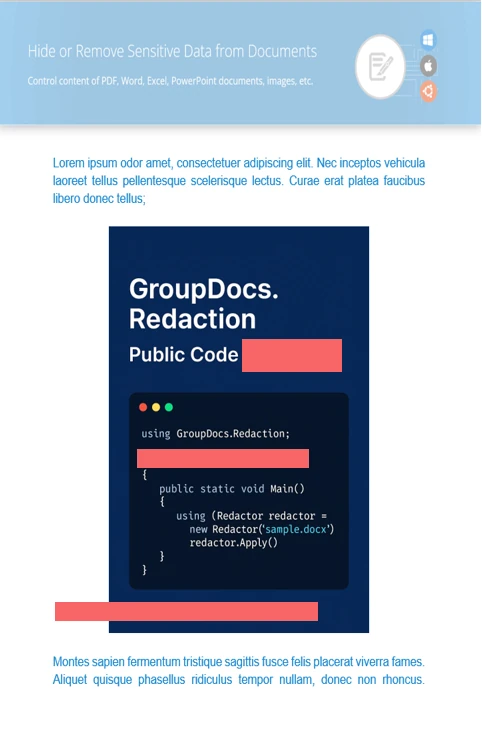
<dependencies> <dependency> <groupId>com.groupdocs</groupId> <artifactId>groupdocs-redaction</artifactId> <version>24.6</version> </dependency> </dependencies> <repositories> <repository> <id>repository.groupdocs.com</id> <name>GroupDocs Repository</name> <url>https://repository.groupdocs.com/repo/</url> </repository> </repositories>
click to copy
copied
More examples Documentation

About GroupDocs.Redaction for Java

GroupDocs.Redaction for Java offers Java developers the tools to hide or erase content in DOCX files. Protect text, images, and metadata in various document formats.
Learn more
About illustration

Ready to get started?

Download GroupDocs.Redaction for free or get a trial license for full access!

Useful resources

Explore documentation, code samples, and community support to enhance your experience.

Redact DOCX Files with Java

Use Java to hide or delete private data in DOCX files. Perfect for keeping business and confidential documents secure.

Temporary license tips

1
Sign up with your work email.
Free mail services are not allowed.
2
Use Get a temporary license button on the second step.
 English