Easily clean documents in your Java project using GroupDocs.Redaction for Java.
- Initialize Redactor with your file.
- Choose how redaction should work.
- Select the text to hide and overlay color.
- Apply redaction and save the file.
Easily clean documents in your Java project using GroupDocs.Redaction for Java.
// Cover text with overlays in DOCX

// Create a Redactor and load your document
final Redactor redactor = new Redactor("input.docx");
try
{
    // Choose redaction options
    // Pick text and color
    ReplacementOptions opt = new ReplacementOptions(java.awt.Color.RED);

    ExactPhraseRedaction redaction = new ExactPhraseRedaction("Text to hide", opt);

    // Save the redacted version
    redactor.apply(redaction);
    redactor.save();
}
finally { redactor.close(); }
<dependencies>
<dependency>
<groupId>com.groupdocs</groupId>
<artifactId>groupdocs-redaction</artifactId>
<version>24.6</version>
</dependency>
</dependencies>
<repositories>
<repository>
<id>repository.groupdocs.com</id>
<name>GroupDocs Repository</name>
<url>https://repository.groupdocs.com/repo/</url>
</repository>
</repositories>
GroupDocs.Redaction for Java gives you simple options to hide sensitive details across documents while keeping them usable.
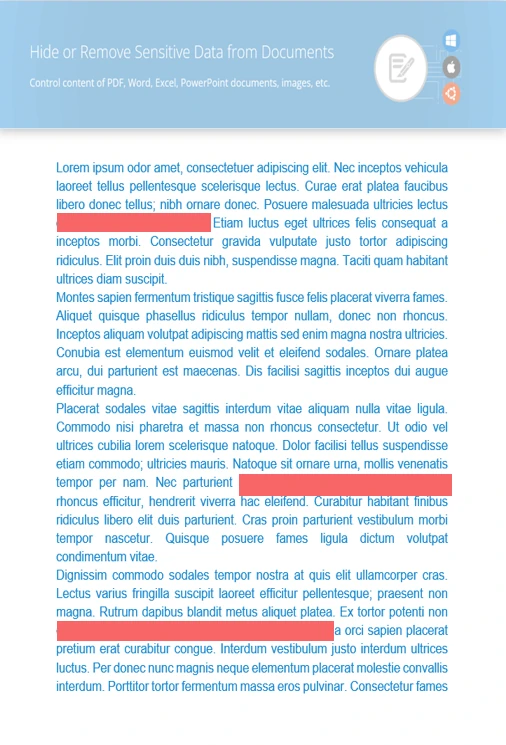
Hide or replace words in seconds.
Mask sections of pictures or scanned content.
Remove hidden metadata like authorship or dates.
// Open the document you want to redact
final Redactor redactor = new Redactor("source.docx");
try
{
// Set regex pattern and overlay style
ReplacementOptions repl_opt = new ReplacementOptions(java.awt.Color.BLUE);
RegexRedaction redaction = new RegexRedaction("\\d{2}\\s*\\d{2}[^\\d]*\\d{6}", repl_opt);
// Apply the redaction logic
redactor.apply(redaction);
// Save your cleaned document
SaveOptions saveOptions = new SaveOptions();
saveOptions.setAddSuffix(true);
saveOptions.setRasterizeToPDF(false);
redactor.save(saveOptions);
}
finally { redactor.close(); }
<dependencies>
<dependency>
<groupId>com.groupdocs</groupId>
<artifactId>groupdocs-redaction</artifactId>
<version>24.6</version>
</dependency>
</dependencies>
<repositories>
<repository>
<id>repository.groupdocs.com</id>
<name>GroupDocs Repository</name>
<url>https://repository.groupdocs.com/repo/</url>
</repository>
</repositories>

Download GroupDocs.Redaction for free or get a trial license for full access!
Explore documentation, code samples, and community support to enhance your experience.
Protect sensitive content in DOCX by hiding or removing it using the tools in Java.


