GroupDocs.Redaction for Java helps Java developers protect files by hiding private info in just a few lines.
- Start a Redactor and load your spreadsheet.
- Set redaction rules as needed.
- Choose text and overlay color.
- Apply and save the file.
GroupDocs.Redaction for Java helps Java developers protect files by hiding private info in just a few lines.
// Use overlays to hide text in EXCEL

// Create a Redactor and load your file
final Redactor redactor = new Redactor("input.xslx");
try
{
    // Pick redaction rules
    // Enter what to hide and choose a color
    ReplacementOptions opt = new ReplacementOptions(java.awt.Color.RED);

    ExactPhraseRedaction redaction = new ExactPhraseRedaction("Text to hide", opt);

    // Apply redaction and save the file
    redactor.apply(redaction);
    redactor.save();
}
finally { redactor.close(); }
<dependencies>
<dependency>
<groupId>com.groupdocs</groupId>
<artifactId>groupdocs-redaction</artifactId>
<version>24.6</version>
</dependency>
</dependencies>
<repositories>
<repository>
<id>repository.groupdocs.com</id>
<name>GroupDocs Repository</name>
<url>https://repository.groupdocs.com/repo/</url>
</repository>
</repositories>
Hide or delete sensitive info from your spreadsheets without breaking layout or meaning using GroupDocs.Redaction for Java.
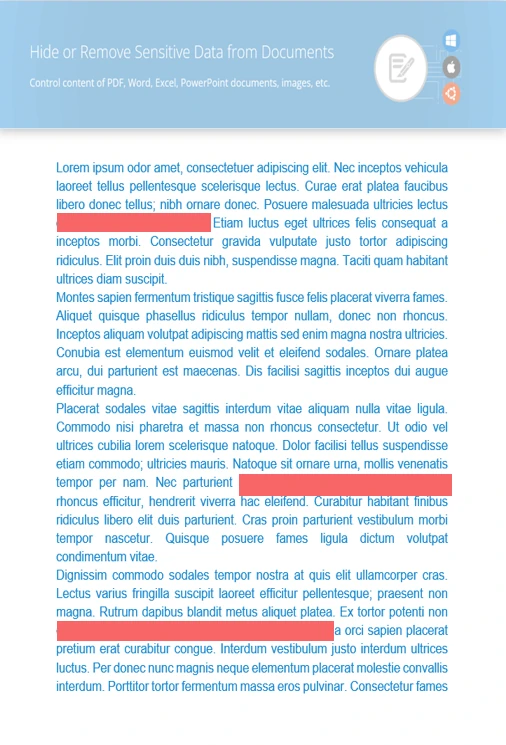
Find and block out any text that needs protection.
Apply colored blocks over chart areas or images.
Clear document history, author names, or timestamps.
// Open your spreadsheet
final Redactor redactor = new Redactor("source.xslx");
try
{
// Set the pattern and overlay details
ReplacementOptions repl_opt = new ReplacementOptions(java.awt.Color.BLUE);
RegexRedaction redaction = new RegexRedaction("\\d{2}\\s*\\d{2}[^\\d]*\\d{6}", repl_opt);
// Apply redaction
redactor.apply(redaction);
// Save the cleaned-up version
SaveOptions saveOptions = new SaveOptions();
saveOptions.setAddSuffix(true);
saveOptions.setRasterizeToPDF(false);
redactor.save(saveOptions);
}
finally { redactor.close(); }
<dependencies>
<dependency>
<groupId>com.groupdocs</groupId>
<artifactId>groupdocs-redaction</artifactId>
<version>24.6</version>
</dependency>
</dependencies>
<repositories>
<repository>
<id>repository.groupdocs.com</id>
<name>GroupDocs Repository</name>
<url>https://repository.groupdocs.com/repo/</url>
</repository>
</repositories>

Download GroupDocs.Redaction for free or get a trial license for full access!
Explore documentation, code samples, and community support to enhance your experience.
Hide or clear sensitive data in EXCEL using overlays and tools from Java.


