GroupDocs.Redaction for Java makes content protection simple for Java developers.
- Set up a Redactor with your presentation path.
- Choose how redaction should behave.
- Add the text pattern and overlay color.
- Redact the slide and save it.
GroupDocs.Redaction for Java makes content protection simple for Java developers.
// Use overlays to block text in PPTX

// Initialize Redactor with your presentation
final Redactor redactor = new Redactor("input.pptx");
try
{
    // Select your redaction preferences
    // Set the text and overlay color
    ReplacementOptions opt = new ReplacementOptions(java.awt.Color.RED);

    ExactPhraseRedaction redaction = new ExactPhraseRedaction("Text to hide", opt);

    // Run the redaction and save the slide deck
    redactor.apply(redaction);
    redactor.save();
}
finally { redactor.close(); }
<dependencies>
<dependency>
<groupId>com.groupdocs</groupId>
<artifactId>groupdocs-redaction</artifactId>
<version>24.6</version>
</dependency>
</dependencies>
<repositories>
<repository>
<id>repository.groupdocs.com</id>
<name>GroupDocs Repository</name>
<url>https://repository.groupdocs.com/repo/</url>
</repository>
</repositories>
With GroupDocs.Redaction for Java, block or remove sensitive content in your presentations without touching layout or formatting.
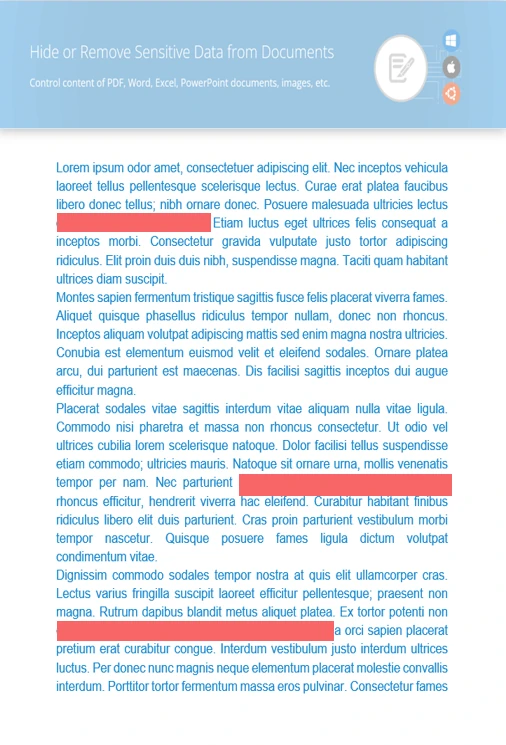
Protect names, terms, or notes that shouldn’t be seen.
Add overlays to pictures or graphic sections of slides.
Erase behind-the-scenes info that may reveal authorship or editing history.
// Open the presentation file
final Redactor redactor = new Redactor("source.pptx");
try
{
// Set search pattern and overlay color
ReplacementOptions repl_opt = new ReplacementOptions(java.awt.Color.BLUE);
RegexRedaction redaction = new RegexRedaction("\\d{2}\\s*\\d{2}[^\\d]*\\d{6}", repl_opt);
// Run redaction rules
redactor.apply(redaction);
// Save the final version
SaveOptions saveOptions = new SaveOptions();
saveOptions.setAddSuffix(true);
saveOptions.setRasterizeToPDF(false);
redactor.save(saveOptions);
}
finally { redactor.close(); }
<dependencies>
<dependency>
<groupId>com.groupdocs</groupId>
<artifactId>groupdocs-redaction</artifactId>
<version>24.6</version>
</dependency>
</dependencies>
<repositories>
<repository>
<id>repository.groupdocs.com</id>
<name>GroupDocs Repository</name>
<url>https://repository.groupdocs.com/repo/</url>
</repository>
</repositories>

Download GroupDocs.Redaction for free or get a trial license for full access!
Explore documentation, code samples, and community support to enhance your experience.
Cover sensitive content or remove it completely from PPTX presentations using Java redaction features.


