Keep your documents safe using simple code with GroupDocs.Redaction for Java in Java.
- Create a Redactor with the file path.
- Set up your redaction logic.
- Choose the keyword and overlay color.
- Redact and save the file.
Keep your documents safe using simple code with GroupDocs.Redaction for Java in Java.
// Hide info in XLSX using blocks

// Load the file with Redactor
final Redactor redactor = new Redactor("input.xslx");
try
{
    // Set up redaction preferences
    // Add text and color to block
    ReplacementOptions opt = new ReplacementOptions(java.awt.Color.RED);

    ExactPhraseRedaction redaction = new ExactPhraseRedaction("Text to hide", opt);

    // Save the updated document
    redactor.apply(redaction);
    redactor.save();
}
finally { redactor.close(); }
<dependencies>
<dependency>
<groupId>com.groupdocs</groupId>
<artifactId>groupdocs-redaction</artifactId>
<version>24.6</version>
</dependency>
</dependencies>
<repositories>
<repository>
<id>repository.groupdocs.com</id>
<name>GroupDocs Repository</name>
<url>https://repository.groupdocs.com/repo/</url>
</repository>
</repositories>
Use GroupDocs.Redaction for Java to block or delete content in your files while keeping structure untouched.
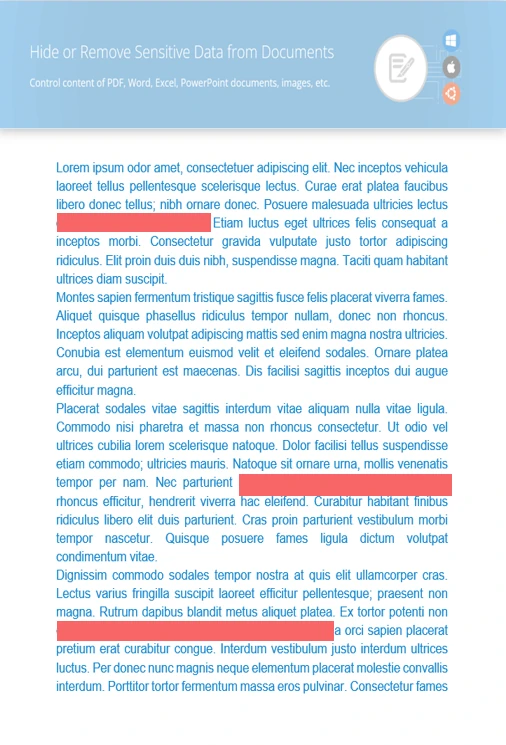
Edit or redact specific words easily.
Add overlays to hide photos or graphic details.
Wipe metadata like user info or file history.
// Open the spreadsheet
final Redactor redactor = new Redactor("source.xslx");
try
{
// Define pattern and overlay color
ReplacementOptions repl_opt = new ReplacementOptions(java.awt.Color.BLUE);
RegexRedaction redaction = new RegexRedaction("\\d{2}\\s*\\d{2}[^\\d]*\\d{6}", repl_opt);
// Apply redaction rules
redactor.apply(redaction);
// Export your result
SaveOptions saveOptions = new SaveOptions();
saveOptions.setAddSuffix(true);
saveOptions.setRasterizeToPDF(false);
redactor.save(saveOptions);
}
finally { redactor.close(); }
<dependencies>
<dependency>
<groupId>com.groupdocs</groupId>
<artifactId>groupdocs-redaction</artifactId>
<version>24.6</version>
</dependency>
</dependencies>
<repositories>
<repository>
<id>repository.groupdocs.com</id>
<name>GroupDocs Repository</name>
<url>https://repository.groupdocs.com/repo/</url>
</repository>
</repositories>

Download GroupDocs.Redaction for free or get a trial license for full access!
Explore documentation, code samples, and community support to enhance your experience.
Use overlays or delete content in XLSX files to keep sensitive data private with Java.


