Use GroupDocs.Redaction for Java in your Java projects to clean up files before sharing.
- Create a Redactor and load the file.
- Choose your redaction options.
- Enter the text to search for and its replacement.
- Apply redactions and save the file.
Use GroupDocs.Redaction for Java in your Java projects to clean up files before sharing.
// Redact content in a DOCX file

// Load the document using Redactor
final Redactor redactor = new Redactor("input.docx");
try
{
    // Set redaction options
    // Define what to find and replace
    ReplacementOptions opt = new ReplacementOptions("[redacted]");

    ExactPhraseRedaction redaction = new ExactPhraseRedaction("Text to hide", opt);

    // Apply redaction and save
    redactor.apply(redaction);
    redactor.save();
}
finally { redactor.close(); }
<dependencies>
<dependency>
<groupId>com.groupdocs</groupId>
<artifactId>groupdocs-redaction</artifactId>
<version>24.6</version>
</dependency>
</dependencies>
<repositories>
<repository>
<id>repository.groupdocs.com</id>
<name>GroupDocs Repository</name>
<url>https://repository.groupdocs.com/repo/</url>
</repository>
</repositories>
GroupDocs.Redaction for Java lets you clean up sensitive content from many file types. Keep your documents safe without losing structure.
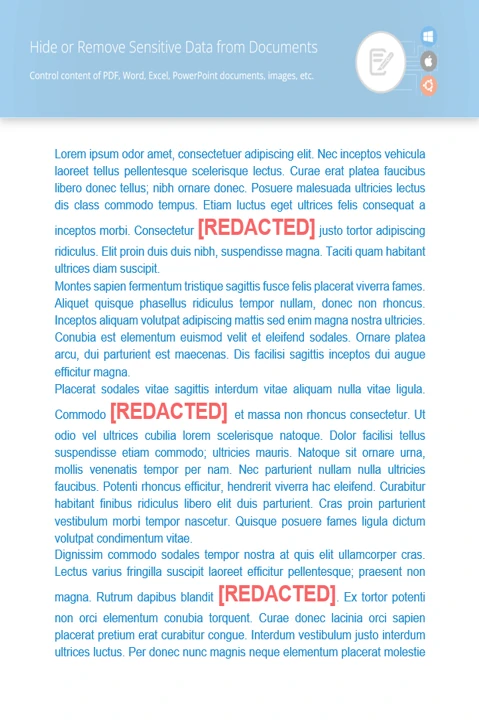
Find specific content and replace it across the document.
Cover sensitive visuals with colored overlays.
Clear metadata such as author names, timestamps, or document properties.
// Load the document
final Redactor redactor = new Redactor("source.docx");
try
{
// Set an EMAIL regex pattern and replacement text
ReplacementOptions repl_opt = new ReplacementOptions("[redacted]");
String emailRegex = "[a-zA-Z0-9._%+-]+@[a-zA-Z0-9.-]+\.[a-zA-Z]{2,}";
RegexRedaction redaction = new RegexRedaction(emailRegex, repl_opt);
// Run the redaction
redactor.apply(redaction);
// Save the clean file
SaveOptions saveOptions = new SaveOptions();
saveOptions.setAddSuffix(true);
saveOptions.setRasterizeToPDF(false);
redactor.save(saveOptions);
}
finally { redactor.close(); }
<dependencies>
<dependency>
<groupId>com.groupdocs</groupId>
<artifactId>groupdocs-redaction</artifactId>
<version>24.6</version>
</dependency>
</dependencies>
<repositories>
<repository>
<id>repository.groupdocs.com</id>
<name>GroupDocs Repository</name>
<url>https://repository.groupdocs.com/repo/</url>
</repository>
</repositories>

Download GroupDocs.Redaction for free or get a trial license for full access!
Explore documentation, code samples, and community support to enhance your experience.
Redact or replace sensitive content in DOCX documents using the tools provided by Java.


