What You Can Do with GroupDocs.Redaction for Java

Edit or Remove Text in EXCEL Files with Java

Clean up your EXCEL files with GroupDocs.Redaction for Java and Java. Great for protecting business or personal data.

How to Redact Content in Excel Files

Use GroupDocs.Redaction for Java in your Java projects to remove or cover text you don’t want to share.

  1. Create a Redactor and load the Excel file.
  2. Choose your redaction settings.
  3. Define what to find and what to replace it with.
  4. Run the redaction and save your file.
// How to redact text in a EXCEL file

// Load the file with Redactor
final Redactor redactor = new Redactor("input.xslx");
try
{
    // Set your redaction rules
    // Enter the target text and replacement
    ReplacementOptions opt = new ReplacementOptions("[redacted]");
    
    ExactPhraseRedaction redaction = new ExactPhraseRedaction("Text to hide", opt);

    // Apply and save the cleaned file
    redactor.apply(redaction);
    redactor.save();
}
finally { redactor.close(); }
<dependencies> <dependency> <groupId>com.groupdocs</groupId> <artifactId>groupdocs-redaction</artifactId> <version>24.6</version> </dependency> </dependencies> <repositories> <repository> <id>repository.groupdocs.com</id> <name>GroupDocs Repository</name> <url>https://repository.groupdocs.com/repo/</url> </repository> </repositories>
click to copy
copied
More examples Documentation

More Redaction Tools

GroupDocs.Redaction for Java helps clean up private content in many document types. Great for privacy before sharing.

Text, image, and metadata redaction features

Replace private text

Find and change matching words or numbers across the file. Use search patterns or exact matches.

Hide parts of images

Add overlay boxes to hide images or cells. Pick colors, sizes, and positions.

Remove background info

Clear out hidden data like authorship, timestamps, or document comments.

Redact Patterns with Regex

Use regular expressions to find and hide patterns like email addresses or account numbers.

Java

//  Open the file you want to clean
final Redactor redactor = new Redactor("source.xslx");
try
{
    // Create an EMAIL regex pattern and set replacement text
    ReplacementOptions repl_opt = new ReplacementOptions("[redacted]");
    String emailRegex = "[a-zA-Z0-9._%+-]+@[a-zA-Z0-9.-]+\.[a-zA-Z]{2,}";

    RegexRedaction redaction = new RegexRedaction(emailRegex, repl_opt);
    
    // Run the redaction process
    redactor.apply(redaction);

    // Save the updated version
    SaveOptions saveOptions = new SaveOptions();
    saveOptions.setAddSuffix(true);
    saveOptions.setRasterizeToPDF(false);
    redactor.save(saveOptions);
}
finally { redactor.close(); }
<dependencies> <dependency> <groupId>com.groupdocs</groupId> <artifactId>groupdocs-redaction</artifactId> <version>24.6</version> </dependency> </dependencies> <repositories> <repository> <id>repository.groupdocs.com</id> <name>GroupDocs Repository</name> <url>https://repository.groupdocs.com/repo/</url> </repository> </repositories>
click to copy
copied
More examples Documentation

Meet GroupDocs.Redaction for Java

GroupDocs.Redaction for Java gives Java developers everything they need to clean up EXCEL files. Edit or hide text, images, metadata, and notes with precision.
Learn more
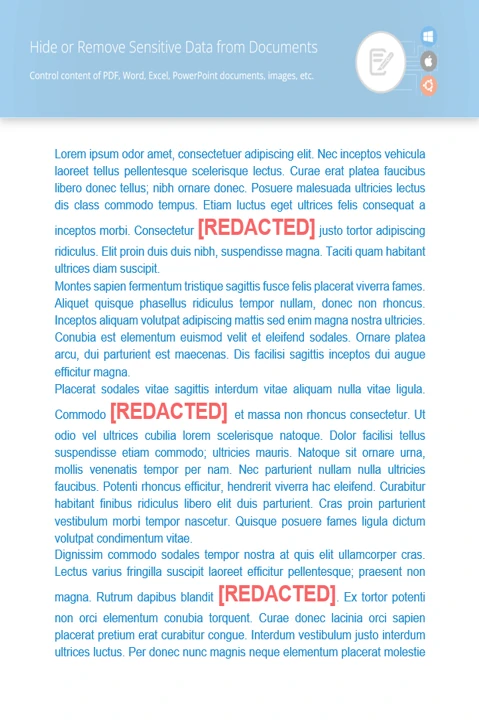
About illustration

Ready to get started?

Download GroupDocs.Redaction for free or get a trial license for full access!

Useful resources

Explore documentation, code samples, and community support to enhance your experience.

Redact Content in EXCEL Using Java

Clean private data from EXCEL files using Java. A smart way to keep your spreadsheets secure.

Temporary license tips

1
Sign up with your work email.
Free mail services are not allowed.
2
Use Get a temporary license button on the second step.
 English