See what GroupDocs.Redaction for .NET can do

Overlay Text Redaction in WORD Files with .NET

Protect important information in WORD files using square overlays written in C#. Ideal for security and compliance.

Redact private data in Word files

GroupDocs.Redaction for .NET helps .NET developers remove sensitive content fast. Follow these steps to secure your files.

  1. Initialize a Redactor with the path to your Word file.
  2. Set the rules for redacting content.
  3. Choose the text pattern and the color to cover it.
  4. Apply redaction and save your redacted file.
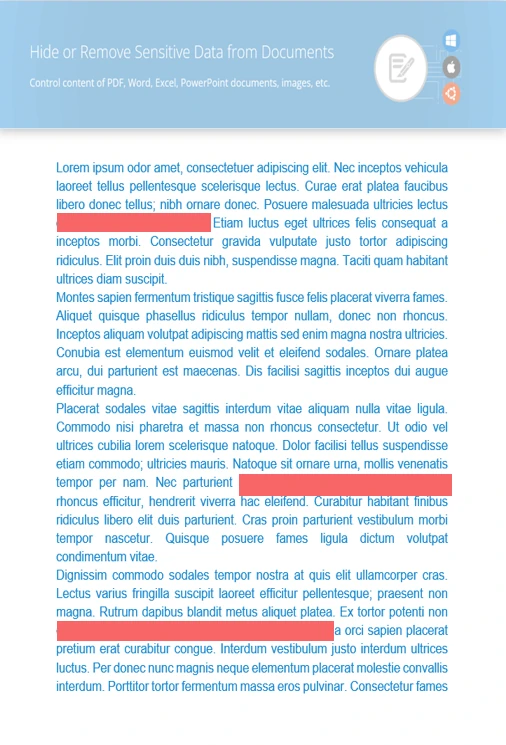
// Redact text in WORD using image overlays

// Load your file with the Redactor
using (Redactor redactor  = new Redactor("input.docx"))
{
    // Define what needs to be redacted
    // Add the matching text and overlay color
    var opt = new ReplacementOptions(System.Drawing.Color.Red);
    
    var redaction = new ExactPhraseRedaction("Text to hide", opt);

    // Run redaction and save the final file
    redactor.Apply(redaction);
    redactor.Save();
}
dotnet add package GroupDocs.Redaction
click to copy
copied
More examples Documentation

Extra redaction tools

With GroupDocs.Redaction for .NET, you can keep files clean by removing visible and hidden information while keeping the layout intact.

Clean and secure output

Replace exposed text

Hide words or phrases that may leak important data.

Cover up images

Mark out sensitive visuals with solid blocks.

Erase hidden info

Clear out background metadata to keep files private.

Hide matched text with regex

This sample shows how to use regular expressions to find and cover sensitive content

C#

//  Open the document to redact
using (Redactor redactor  = new Redactor("source.docx"))
{
    // Choose pattern and color
    var repl_opt = new ReplacementOptions(System.Drawing.Color.Blue);
    var redaction = new RegexRedaction("\\d{2}\\s*\\d{2}[^\\d]*\\d{6}", repl_opt);

    // Run redaction rules
    redactor.Apply(redaction);

    // Save and review the redacted copy
    var save_opt = new SaveOptions() { AddSuffix = true, RasterizeToPDF = false };
    var outputPath = redactor.Save(save_opt);
}
dotnet add package GroupDocs.Redaction
click to copy
copied
More examples Documentation

Meet GroupDocs.Redaction for .NET

Developers working with C# can use GroupDocs.Redaction for .NET to hide or remove parts of WORD documents. Hide names, numbers, or other data in just a few lines of code.
Learn more
About illustration

Ready to get started?

Download GroupDocs.Redaction for free or get a trial license for full access!

Useful resources

Explore documentation, code samples, and community support to enhance your experience.

Protect Your WORD Files Using .NET

With .NET, you can hide text or wipe out metadata in WORD formats without breaking layout or formatting.

Temporary license tips

1
Sign up with your work email.
Free mail services are not allowed.
2
Use Get a temporary license button on the second step.
 English