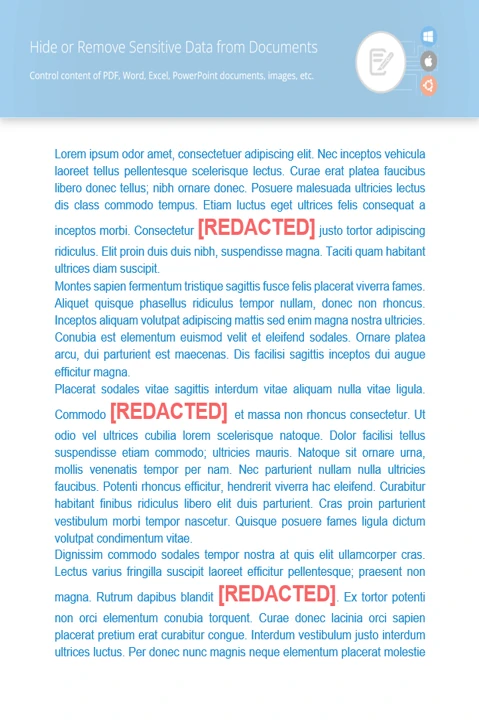
How GroupDocs.Redaction for .NET Helps You

Find and Hide Sensitive Text in DOCX Documents with .NET

Whether for personal or business use, GroupDocs.Redaction for .NET and C# help keep private information out of sight.

How to Redact Content in Docx Files

Follow these quick steps in your .NET project to clean up private text with GroupDocs.Redaction for .NET.

  1. Start a new Redactor and load the Docx file.
  2. Choose the redaction settings you want.
  3. Enter the text to find and what you want it replaced with.
  4. Run the redaction and save your file.

// Redacting text in a DOCX file

// Load your file using Redactor
using (Redactor redactor  = new Redactor("input.docx"))
{
    // Pick the redaction options that suit your needs
    // Set what to search for and what to swap it with
    var repl_opt = new ReplacementOptions("[redacted]");
    
    var redaction = new ExactPhraseRedaction("Text to hide", repl_opt);

    // Run the tool and save your redacted file
    redactor.Apply(redaction);
    redactor.Save();
}
dotnet add package GroupDocs.Redaction
click to copy
copied
More examples Documentation

More Redaction Features

With GroupDocs.Redaction for .NET, it’s easy to remove hidden or visible content from different types of files. Great for sharing safely.

Overview of redaction tools

Replace private text

Search for specific text anywhere in the file and replace it. Works with plain text or patterns.

Cover sensitive images

Mask parts of an image or full pages with overlays. You control colors, sizes, and positions.

Wipe hidden data

Remove metadata like names, comments, or timestamps to make sure nothing is left behind.

Find and Redact Patterns with Regex

Use regex to search for specific data types like email addresses or ID numbers and clean them automatically.

C#

//  Open the file you need to clean
using (Redactor redactor  = new Redactor("source.docx"))
{
    // Create an EMAIL regex rule and a replacement string
    var repl_opt = new ReplacementOptions("[redacted]");
    string emailRegex = @"[a-zA-Z0-9._%+-]+@[a-zA-Z0-9.-]+\.[a-zA-Z]{2,}";

    var redaction = new RegexRedaction(emailRegex, repl_opt);

    // Run the redaction using your settings
    redactor.Apply(redaction);

    // Save the updated file
    var save_opt = new SaveOptions() { AddSuffix = true, RasterizeToPDF = false };
    var outputPath = redactor.Save(save_opt);
}
dotnet add package GroupDocs.Redaction
click to copy
copied
More examples Documentation

What is GroupDocs.Redaction for .NET?

GroupDocs.Redaction for .NET gives C# developers the tools to find and clean up sensitive content in DOCX files. Works with text, images, notes, and more.
Learn more
About illustration

Ready to get started?

Download GroupDocs.Redaction for free or get a trial license for full access!

Useful resources

Explore documentation, code samples, and community support to enhance your experience.

Redact Data in DOCX Using .NET

Protect personal or official info by hiding it in DOCX documents using .NET. It’s simple and effective.

Temporary license tips

1
Sign up with your work email.
Free mail services are not allowed.
2
Use Get a temporary license button on the second step.
 English