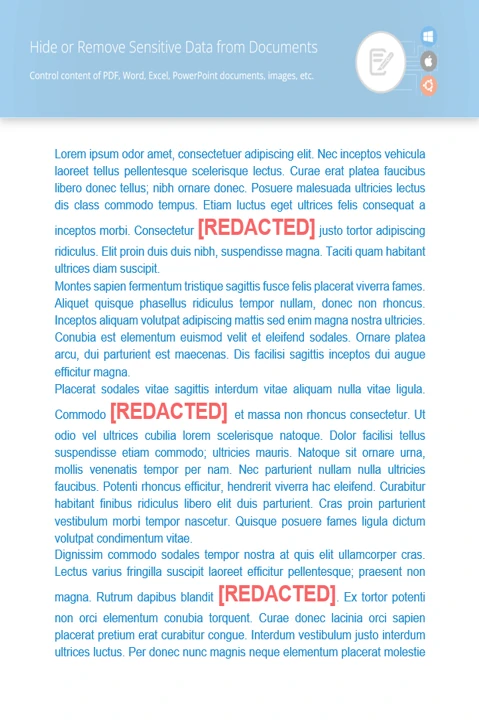
What You Can Do with GroupDocs.Redaction for .NET

Edit or Hide Sensitive Text in PPTX Documents with .NET

Keep your presentations clean and private. Use GroupDocs.Redaction for .NET and C# to remove anything you don’t want shared.

Steps to Clean Pptx Presentations

Use GroupDocs.Redaction for .NET in your .NET app to remove or cover up sensitive content in just a few steps.

  1. Start a new Redactor and load your Pptx file.
  2. Pick the redaction rules you want to apply.
  3. Set the text to find and what to replace it with.
  4. Run redaction and save your file.
// Redacting a PPTX presentation

// Open the file with Redactor
using (Redactor redactor  = new Redactor("input.pptx"))
{
    // Pick the redaction settings
    // Choose the text to search and replace
    var repl_opt = new ReplacementOptions("[redacted]");
    
    var redaction = new ExactPhraseRedaction("Text to hide", repl_opt);

    // Apply changes and save the updated file
    redactor.Apply(redaction);
    redactor.Save();
}
dotnet add package GroupDocs.Redaction
click to copy
copied
More examples Documentation

Redaction Features You Can Use

GroupDocs.Redaction for .NET helps you find and hide sensitive text, images, and hidden data across multiple file types. Perfect for sharing files safely.

Available redaction options

Replace hidden text

Search and swap private words or phrases anywhere in the file. Regex is supported too.

Cover images

Use blocks to hide pictures or areas you want to mask. Control shape, size, and color.

Delete hidden details

Clean metadata like author names, last edited dates, or comments to make your file clean.

Redact Using Regex Patterns

Find and clean data like email addresses or IDs using regex. Great for repeatable redaction.

C#

//  Open your file
using (Redactor redactor  = new Redactor("source.pptx"))
{
    // Write an EMAIL regex pattern and set the replacement
    var repl_opt = new ReplacementOptions("[redacted]");
    string emailRegex = @"[a-zA-Z0-9._%+-]+@[a-zA-Z0-9.-]+\.[a-zA-Z]{2,}";

    var redaction = new RegexRedaction(emailRegex, repl_opt);

    // Apply your redaction settings
    redactor.Apply(redaction);

    // Save the redacted version
    var save_opt = new SaveOptions() { AddSuffix = true, RasterizeToPDF = false };
    var outputPath = redactor.Save(save_opt);
}
dotnet add package GroupDocs.Redaction
click to copy
copied
More examples Documentation

What is GroupDocs.Redaction for .NET?

GroupDocs.Redaction for .NET gives C# developers what they need to remove sensitive content from PPTX files. It handles text, visuals, comments, and metadata.
Learn more
About illustration

Ready to get started?

Download GroupDocs.Redaction for free or get a trial license for full access!

Useful resources

Explore documentation, code samples, and community support to enhance your experience.

Clean Up PPTX Files with .NET

Make your PPTX documents safer to share by hiding private text with .NET. Quick, reliable results.

Temporary license tips

1
Sign up with your work email.
Free mail services are not allowed.
2
Use Get a temporary license button on the second step.
 English